Desktop Application Menu
The desktop app provides additional options via the Application Menu.
Open it by clicking 
in the top-left corner
in the top-left corner

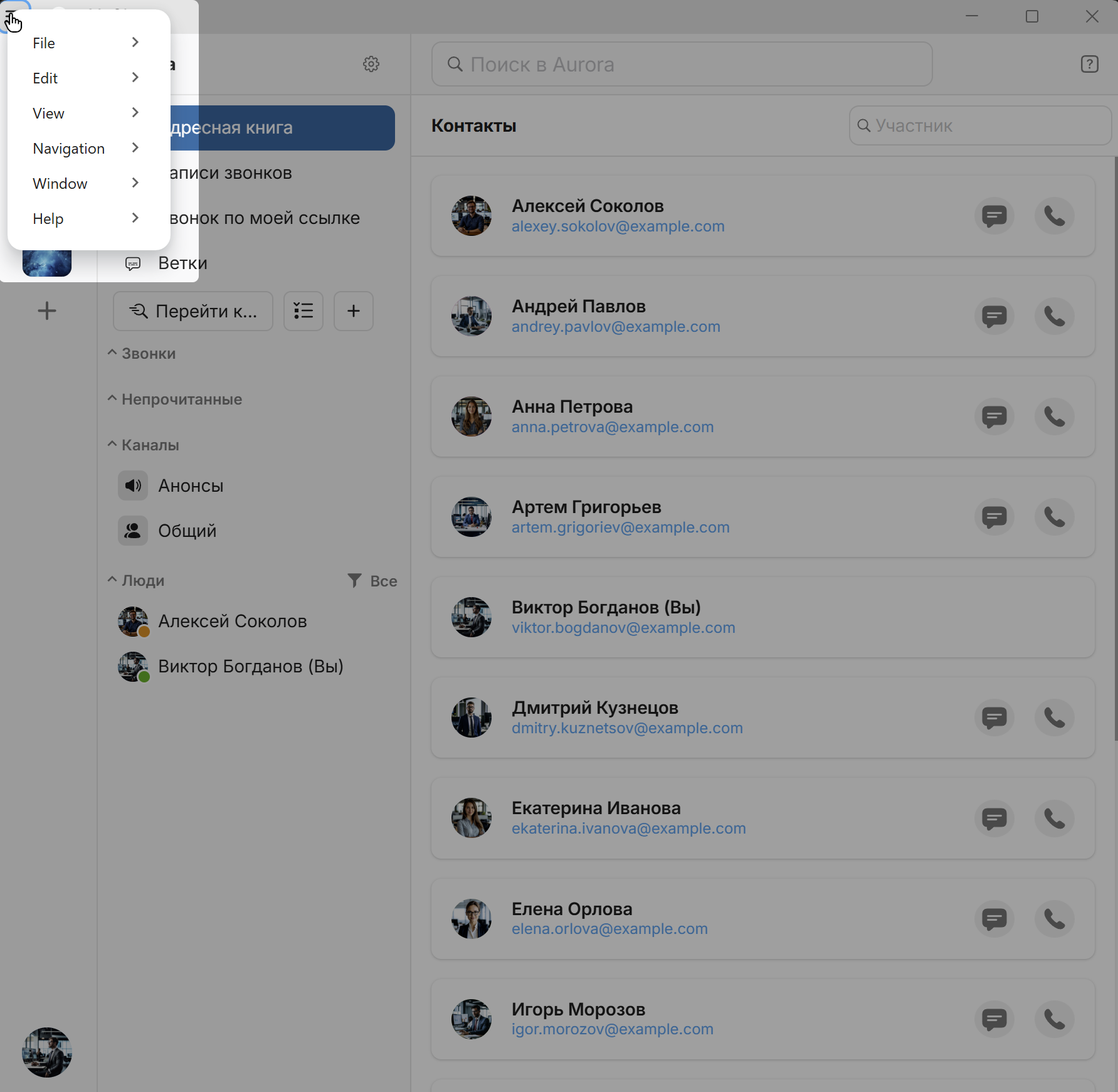
File (Windows & Linux)
- Create Channel
- Create Workspace
- Log Out
- Quit — Ctrl+Q
YuChat (macOS)
- About YuChat
- Settings — ⌘+,
- Log Out
- Quit — ⌘+Q
Edit
- Undo — Ctrl/⌘+Z
- Redo — Ctrl/⌘+Shift+Z
- Cut — Ctrl/⌘+X
- Copy — Ctrl/⌘+C
- Paste — Ctrl/⌘+V
- Delete
- Select All — Ctrl/⌘+A
- Spell Check — toggle built-in spell checking
- Find in... (context search) — Ctrl/⌘+F
- Search (global) — Ctrl/⌘+G
View
- Refresh — Ctrl/⌘+R
- Reload — Ctrl/⌘+Shift+R
- Fullscreen — F11 / ⌘+^+F
Zoom:
- Reset — Ctrl/⌘+0
- Zoom In — Ctrl/⌘++
- Zoom Out — Ctrl/⌘+-
Navigation
- Jump to Chat — Ctrl/⌘+K
- Show navigation history — ⌘ + Y
- Back — ⌘ + [ / ALT + ←
- Forward — ⌘ + ] / ALT + →
- All Channels — Ctrl/⌘+Shift+L
- All People — Ctrl/⌘+Shift+E
- Downloads - download manager
Downloads
The download manager lets you track and manage downloaded files in the desktop app.
See more in Workspace → Downloads
Help
- Support Center
- Documentation
- Keyboard Shortcuts
-
Troubleshooting:
- Report Problem
- Save Logs
- WebRTC Internals — opens built-in WebRTC diagnostics page for analyzing call statistics, connection state, and media quality
- Reload Application
- Clear Cache and Exit
- Check for Updates
- Release Notes
- About YuChat
Window
- Minimize — Ctrl+M
- Close — Ctrl+W